Tolerance — reconciling rejected leads with the network
What the Tolerance status is, why it counts as a paid lead, and how to manually move rejected leads into it to match the network's weekly data (e.g. Flamyfox).
Updated on June 15, 2026
Many affiliate networks grant you a tolerance: every period (usually weekly) they credit back as valid a share of the leads that had been rejected or marked duplicate, to cover your ad costs. It's a recovery in your favour — those leads actually get paid anyway.
In RoyLead this recovery has its own status — Tolerance (green badge) — and it counts exactly like an Approved lead: it feeds the payout, raises the approval rate, and triggers your media buyers' commissions.
💡 Tolerance = paid lead. For stats, payout and commissions a Tolerance lead is worth the same as an Approved one. Leaving it as «Rejected» means counting it as lost even though the network is paying you for it.
Why it's a manual step
When a lead is approved, cancelled or flagged as duplicate, the network tells RoyLead on its own via postback (see the Connect an external network offer ↗ guide) and the status updates automatically.
Tolerance doesn't. Flamyfox (like other networks) sends no tolerance signal over webhook: it reports it separately, usually in the weekly report inside their dashboard. That's why you have to reconcile it by hand, moving the affected leads from Rejected to Tolerance.
📌 Recap: approved / cancelled / duplicate arrive on their own. Tolerance is something only you know, from the network's data, and you record it manually.
When to do it
Reconcile tolerance on the same cadence the network reports it — typically once a week, when Flamyfox publishes the period's recovery. That way RoyLead's stats stay in line with what you're actually being paid.
Get the list from the network
From the network dashboard (e.g. Flamyfox) pull which leads fall under the period's tolerance, or at least how many and for which day/offer. You need these to spot them inside RoyLead: date, phone/email or the lead ID.
⚠️ Move to Tolerance only the leads the network actually credited you. Inflating tolerance at random distorts your payout and the commissions you pay your media buyers.
Filter rejected leads
Go to Leads and, in the filters, set the status to Rejected (and Duplicate if needed), narrowing to the period's date range. Now you only see the candidates to work on.
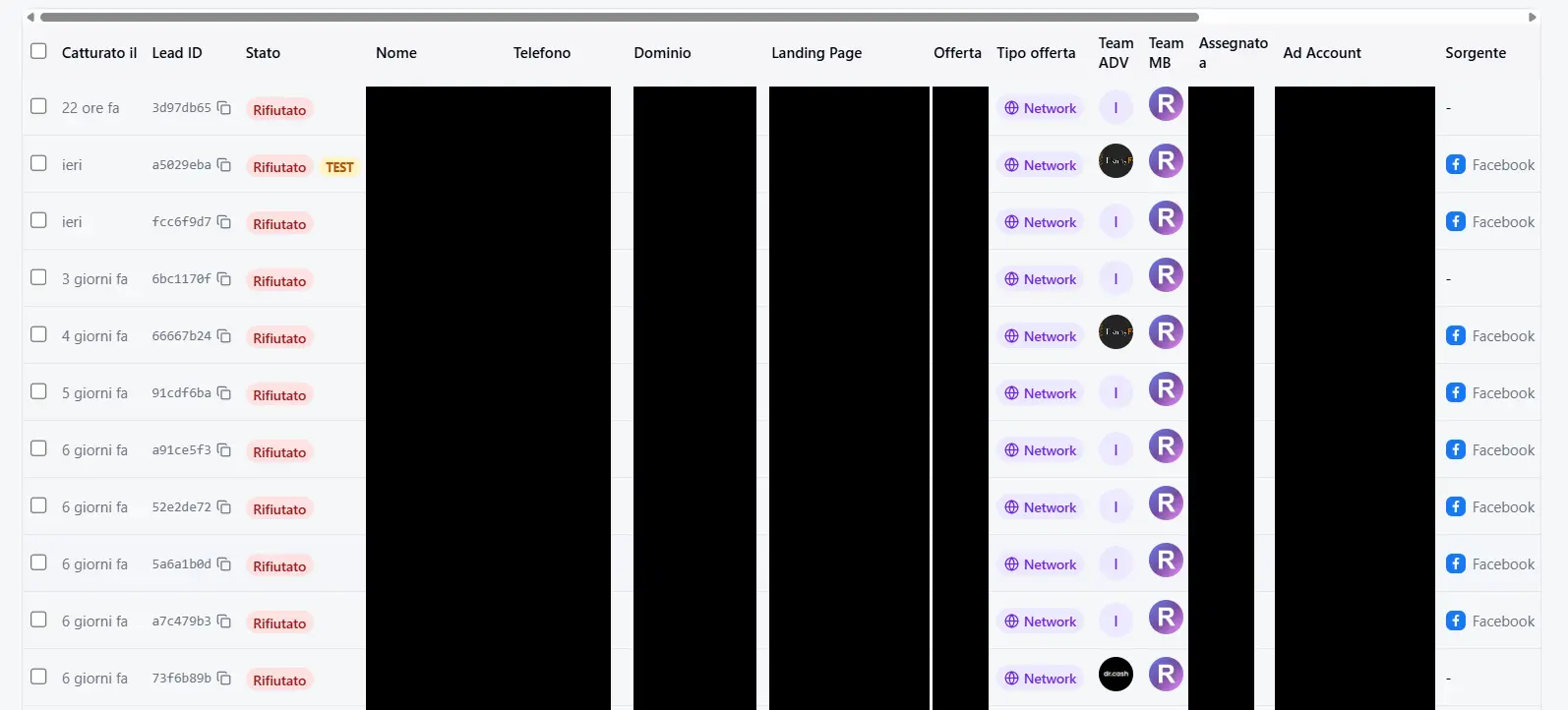
💡 Tolerance can be applied to Rejected and Duplicate leads: those are the only statuses it makes sense to "recover" a lead from.
Move the leads into Tolerance
You have two ways, depending on how many leads there are.
In bulk (recommended for several leads):
- Tick the checkboxes of the leads to recover (select as many as you like).
- The «N selected» bar appears on top: in the dropdown choose Tolerance.
- (Optional) add a reason, e.g. «Flamyfox tolerance, week 24».
- Press Update Status.

One at a time:
- Click the lead to open its detail.
- Press Change Status, pick Tolerance from the menu, add a reason if you want.
- Press Update Status.
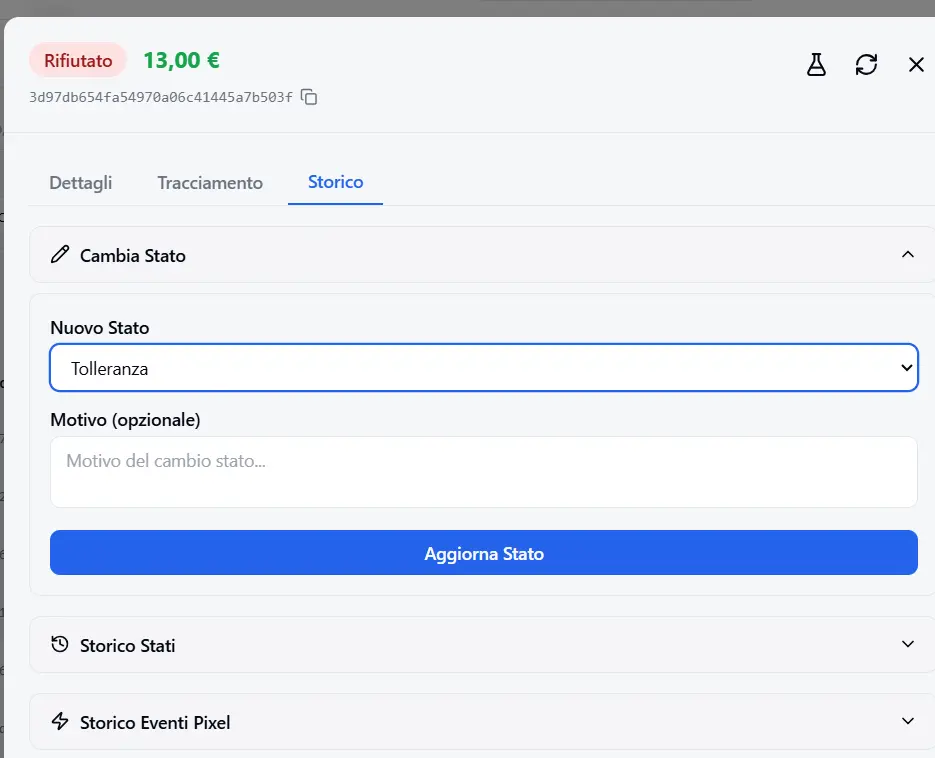
As soon as you confirm, the leads switch to the green Tolerance badge and immediately re-enter the payout, approval-rate and commission counts.
🔒 The team owner and admins can change the status (plus media buyers enabled on external network offers). Anyone without permission sees the checkboxes disabled.
How to verify
- Switch the status filter to Tolerance: the leads you just moved should be there.
- Open Analytics: the approved count and the payout now include tolerance, and should match the network's data.
Troubleshooting
| What you see | Cause | Fix |
|---|---|---|
| «Tolerance» isn't in the status menu | The lead isn't in a recoverable status | Tolerance can only be set from Rejected or Duplicate |
| The selection checkboxes are disabled | You don't have permission to change status | Ask the team owner, or do it yourself if you're owner/admin |
| The numbers don't match the network | Tolerance not reconciled yet, or wrong leads moved | Re-check against the network's report and fix the statuses |
| Tolerance «doesn't come back on its own» | That's expected | It doesn't arrive via webhook: record it manually each period |
Ready to put this into practice?
Create your RoyLead account and start in minutes.