Track your ad spend (Facebook Ads)
Get your ad spend into your ROI — automatically by linking the landing to the ad set, or by entering costs by hand.
Updated on June 24, 2026
For RoyLead to compute your real ROI it needs to know how much you spend on ads. You have two ways to track costs: automatically (recommended, by connecting the ad account) or by hand (for those who don't connect the account or use other traffic sources).
💡 There's a single golden rule: every cost must be tied to a landing page. That's how RoyLead knows which offer and which media buyer to attribute the spend to.
Way 1 — Automatic (recommended)
You connect the Facebook account once and RoyLead syncs ad sets and daily spend on its own. All that's left for you is one move: tell each ad set which landing page it points to.
Step 1 — Connect the ad account
Go to Advertising → Ad Accounts, click Connect account → Facebook and authorize with your Facebook account. The RoyLead app is approved by Meta: a login is all it takes, no token to copy.
Step 2 — Link the landing page to the ad set
Open the Ad Sets tab: RoyLead has already imported the account's ad sets. For each ad set, in the Landing Page column, pick from the menu your RoyLead landing page the ad set drives traffic to (the menu lists your team's landings).
- Ad sets without a linked landing are flagged with an ⚠️ amber triangle: that's spend not entering your ROI.
- You can filter by "All associations → Not associated" to find them at a glance and fix them all.
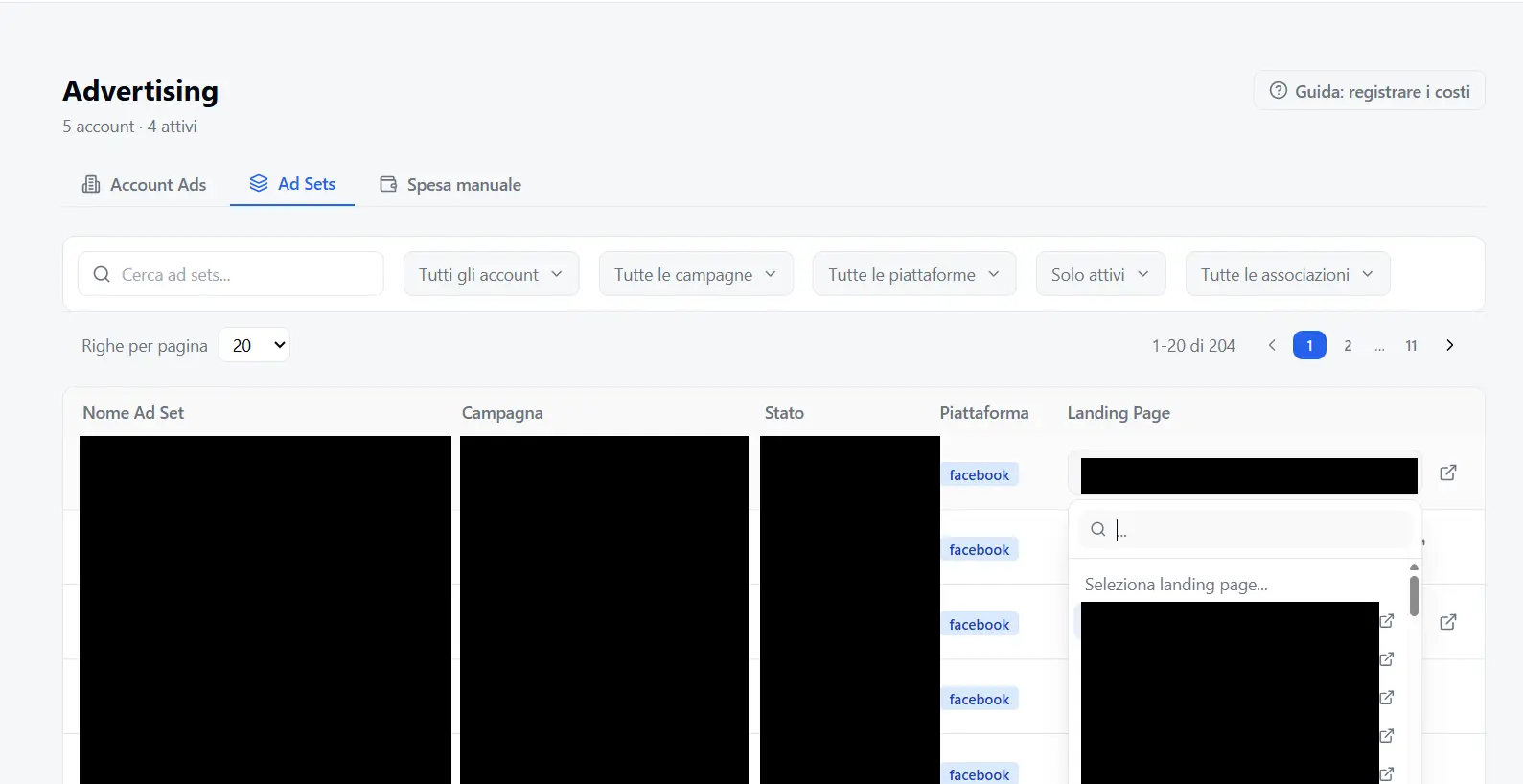
💡 From then on, that ad set's spend is attributed to the landing → it enters the ROI and the Cost Cap in Analytics, automatically. Nothing else to do.
Way 2 — Manual (for those who don't connect the account)
If you don't connect the Facebook account (or bring traffic from a source you don't sync), you can enter costs by hand, day by day.
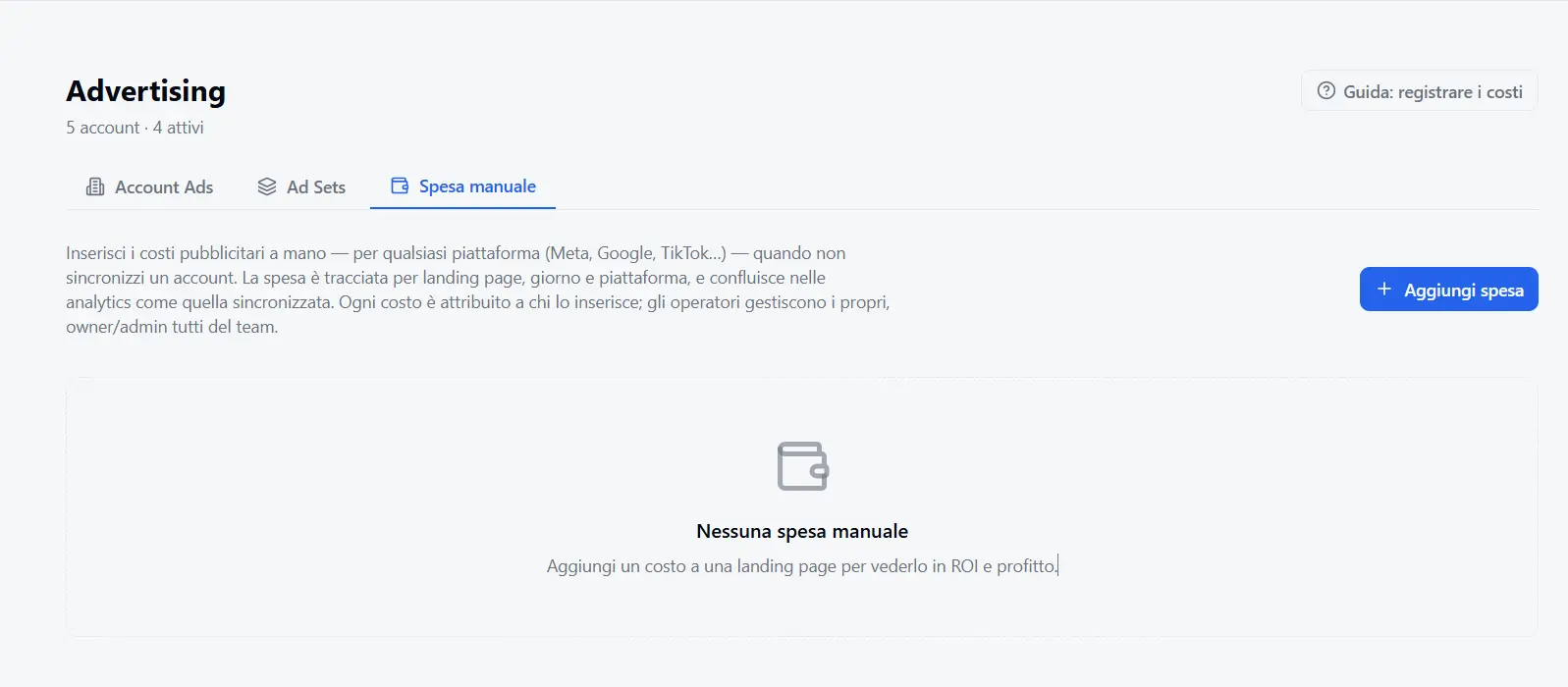
- Open the Manual spend tab and click Add spend.
- Choose the Landing Page (you can narrow the search by advertiser team / offer / member), the Day, the Platform and the Amount with its currency.
- Save: the cost enters your Analytics ROI right away.
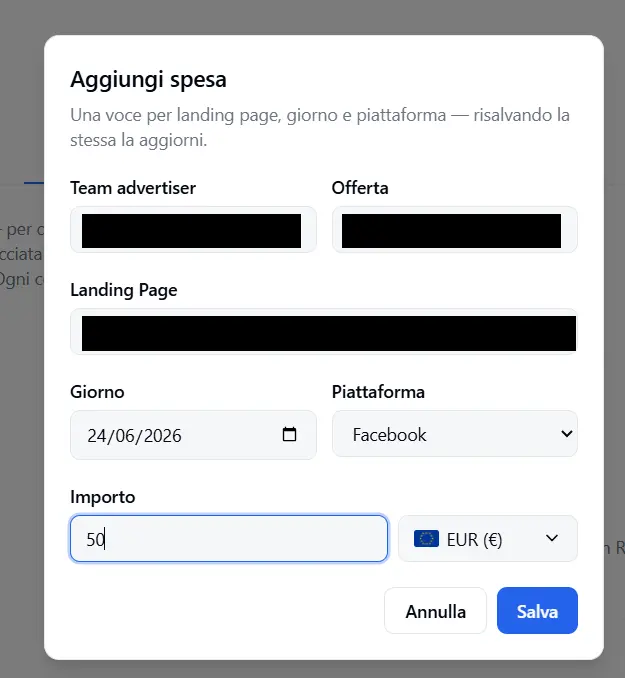
⚠️ You can't enter a manual cost for a landing already connected to an ad account: for that one the spend is already synced automatically, and RoyLead blocks it so it isn't counted twice.
In short
- Connected the Facebook account? → use Way 1: just link the landings to the ad sets.
- Not connecting it? → use Way 2: enter costs by hand per landing.
- Either way the cost ends up tied to a landing → real ROI in Analytics.
Ready to put this into practice?
Create your RoyLead account and start in minutes.