Team commissions and profit
Set the commission you grant members (global or per-member) and find out where owner and media buyers track profit and earnings.
Updated on June 9, 2026
A commission is the percentage of profit that you (the owner) grant each team member on the leads they generate. You set it once and RoyLead computes it automatically, lead by lead, showing each person the right numbers.
Open your team and go to the Commissions tab:
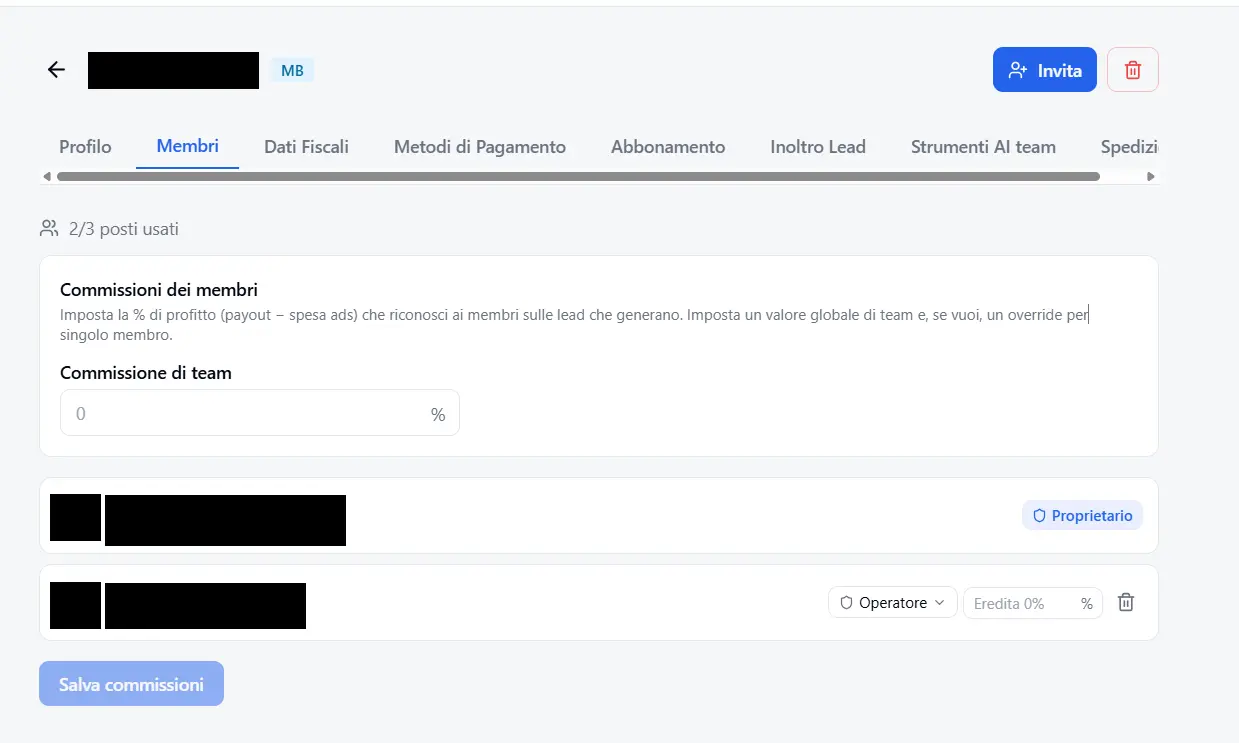
📌 The tab is owner-only (and platform admins): whoever earns the commission can't set their own percentage. It's available only on Media Buyer teams.
How it's calculated
The commission applies to profit, not gross revenue:
💳 Profit = Payout − Ad spend. Commission = Profit × percentage. If profit is negative, the commission is zero (you don't pay commissions when running at a loss).
Example: a batch of leads generates €100 in payout with €40 of ad spend → €60 profit. With a 20% commission, the member earns €12 and you (owner) keep €48 of net profit.
💡 Leads in the normal processing statuses are counted (pending, validating, forwarding, forwarded, approved, tolerance). Rejected or duplicate leads generate neither profit nor commission.
Global vs individual commission
Team commission (global) — the main field. It's the percentage that applies to all members of the team. Set it once and it applies to anyone without a custom value.
Per-member override (individual) — below, you can assign a different percentage to a single member. Useful to reward top performers or for specific agreements.
💡 Individual wins over global. If a member has an override, RoyLead uses it; otherwise it inherits the team commission. If you leave a member's field empty, you'll see "Inherits X%" — meaning it follows the global one. The owner never receives a commission (they keep the net).
Where the owner tracks profit
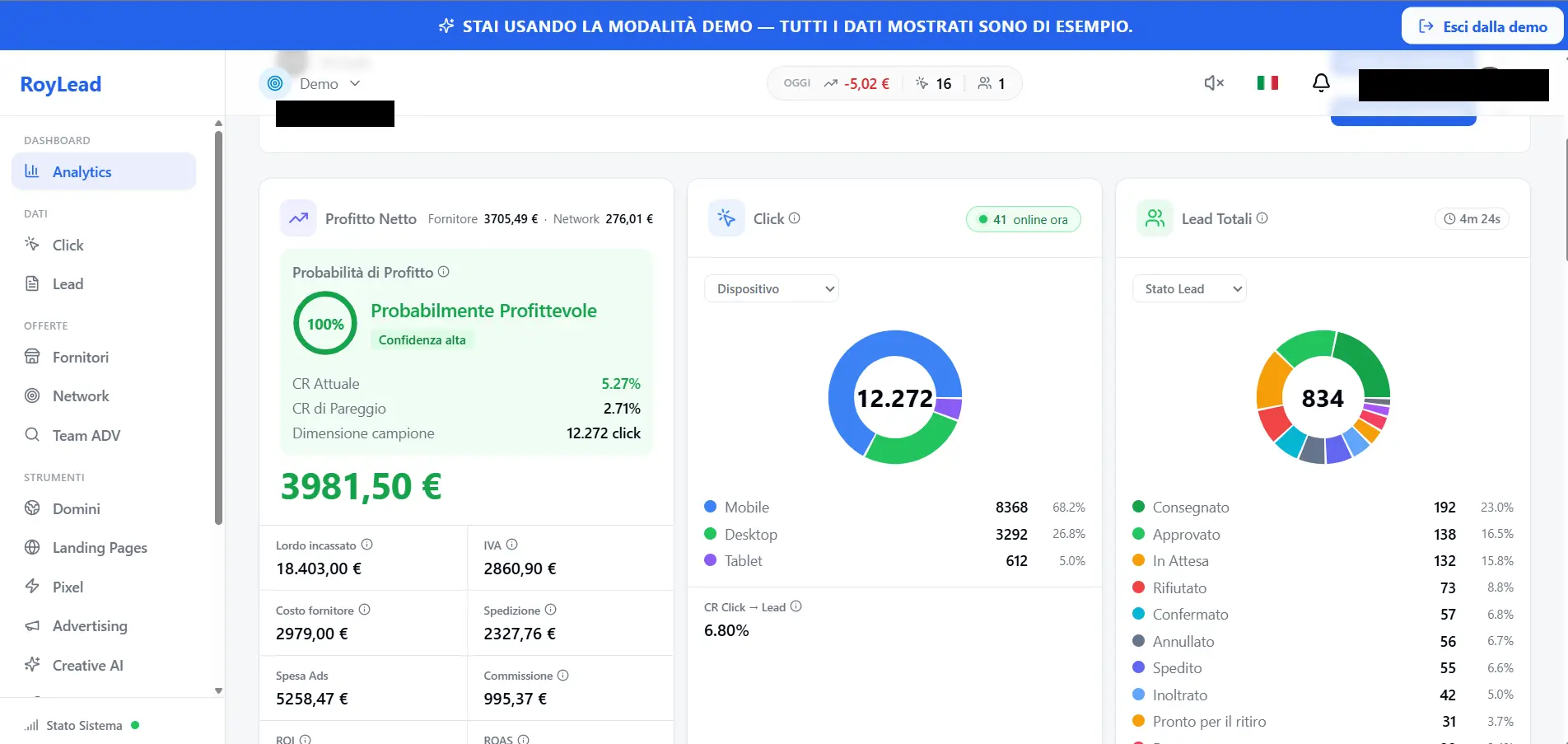
In the Analytics dashboard, the owner sees Net Profit as the main figure — that is, profit already net of the commissions paid to members. Below, you'll find the breakdown:
- Payout — total earned from leads
- Commissions — how much you're granting your media buyers
- Gross — profit before commissions
- Spend — ad cost
- ROI / ROAS — performance
There's also a per-member summary, with the percentage applied to each and the commission accrued: so you know exactly who's owed what.
Where the media buyer sees their earnings
The same Analytics panel, for a member, shows Your Earnings as the main figure — that is, the commission accrued on the profit of the leads they generated. Next to it are payout, spend, ROI/ROAS and cost per lead.
🔒 Each member sees only their own numbers and earnings: they can't see other people's earnings. The full team picture stays with the owner (and admins).
In short
💡 Set a team commission as the baseline, use overrides only for exceptions. The owner controls everything from Net Profit in Analytics; each media buyer sees their Earnings in the same panel, updated in real time.
Ready to put this into practice?
Create your RoyLead account and start in minutes.